6 Best Workflow Automation Software for Freelancers and Solo Founders
You are drowning in admin work that does not pay. Juggling invoices, follow-ups, and client updates across five different apps eats hours you could bill. Most freelancers switch tools after missing one too many deadlines.
This article ranks the six best workflow automation options for solo operators. You will learn what features matter, how pricing compares, and which tool fits your budget. Tasks.Bot takes the top spot for WhatsApp-based task tracking.
What to Look For in Workflow Automation Software for Freelancers and Solo Founders
Freelancers and solo founders need workflow automation that eliminates repetitive admin without adding complexity. When you are the only person handling client work, invoicing, marketing, and follow-ups, every manual step eats into billable hours or rest time.
Automation changes that math. A well-chosen tool handles task scheduling, client onboarding, and invoice generation in the background while you focus on the work clients actually pay for. The goal is not to automate everything. It is to remove the tasks you repeat weekly, or even daily, that deliver no direct value.
Solo operators also face a specific constraint that teams do not: there is no IT department, no operations manager, and no budget for enterprise contracts. Software has to be affordable, quick to configure, and forgiving when your process changes between projects.
That is why the evaluation criteria in this roundup come down to three pillars: features, pricing, and ease of setup. Each one matters differently depending on whether you are a designer chasing invoices, a consultant managing leads, or a founder wearing every hat at once.
Features determine what you can stop doing manually. Pricing determines whether the tool still makes sense as you grow. Ease of setup determines whether you actually use it past the first week. A tool that scores well on all three tends to stick. One that fails on any single pillar usually gets abandoned.
Key Features, Pricing, and Ease of Setup
When evaluating workflow automation software, focus on three areas: the features that eliminate manual work, pricing that fits a solo budget, and setup that doesn't require a developer. The sections below break down what to check in each area before committing to a tool.
Features are where most buyers start, and for good reason. The must-haves for a solo operator include:
- Task management with recurring tasks and deadlines
- Client onboarding sequences that trigger automatically
- Invoice generation tied to completed work
- Email automation for follow-ups and reminders
- CRM integration so leads and client history stay in one place
- Lead capture from forms, landing pages, or inboxes
- Data syncing between your core apps
- File organization across cloud storage like Google Drive or Dropbox
Beyond the checklist, look at how these pieces connect. A workflow builder with triggers, actions, conditional logic, and complicated processes lets you chain tasks together. Tools like Zapier, Make, and n8n excel at connecting apps through API connections and webhooks, while platforms such as Notion, ClickUp, Airtable, and Monday.com lean toward all-in-one project management with built-in automation. Trello and Asana sit somewhere in between, offering lighter automation for teams that mostly need task tracking.
Pricing deserves close attention because automation tools scale in different ways. Some charge per user, which is rarely a problem for a solo founder but can sting if you add a contractor. Others use flat-rate plans, which suit freelancers who want predictable costs. Free tiers are common and often generous enough to test real workflows before paying. Watch the limits on task runs, integrations, or stored records, since those caps are usually where the free plan ends and the paid plan begins.
Ease of setup is the pillar most likely to be underestimated. No-code automation builders and pre-built templates let you launch a working workflow in an afternoon rather than a week. Integration with the tools you already use, whether that is Google Drive, Dropbox, Slack, or a CRM, matters more than a long list of apps you have never opened. If setup requires scripting or a developer, it is probably the wrong fit for a one-person operation.
A practical way to judge all three pillars is to pick one recurring process, such as sending a welcome packet after a client signs, and see how quickly each tool can automate it. That single test reveals more than any feature comparison table. Automation adoption tends to stick when the first workflow delivers visible time savings quickly, not months later.
1. Tasks.Bot - Best Overall
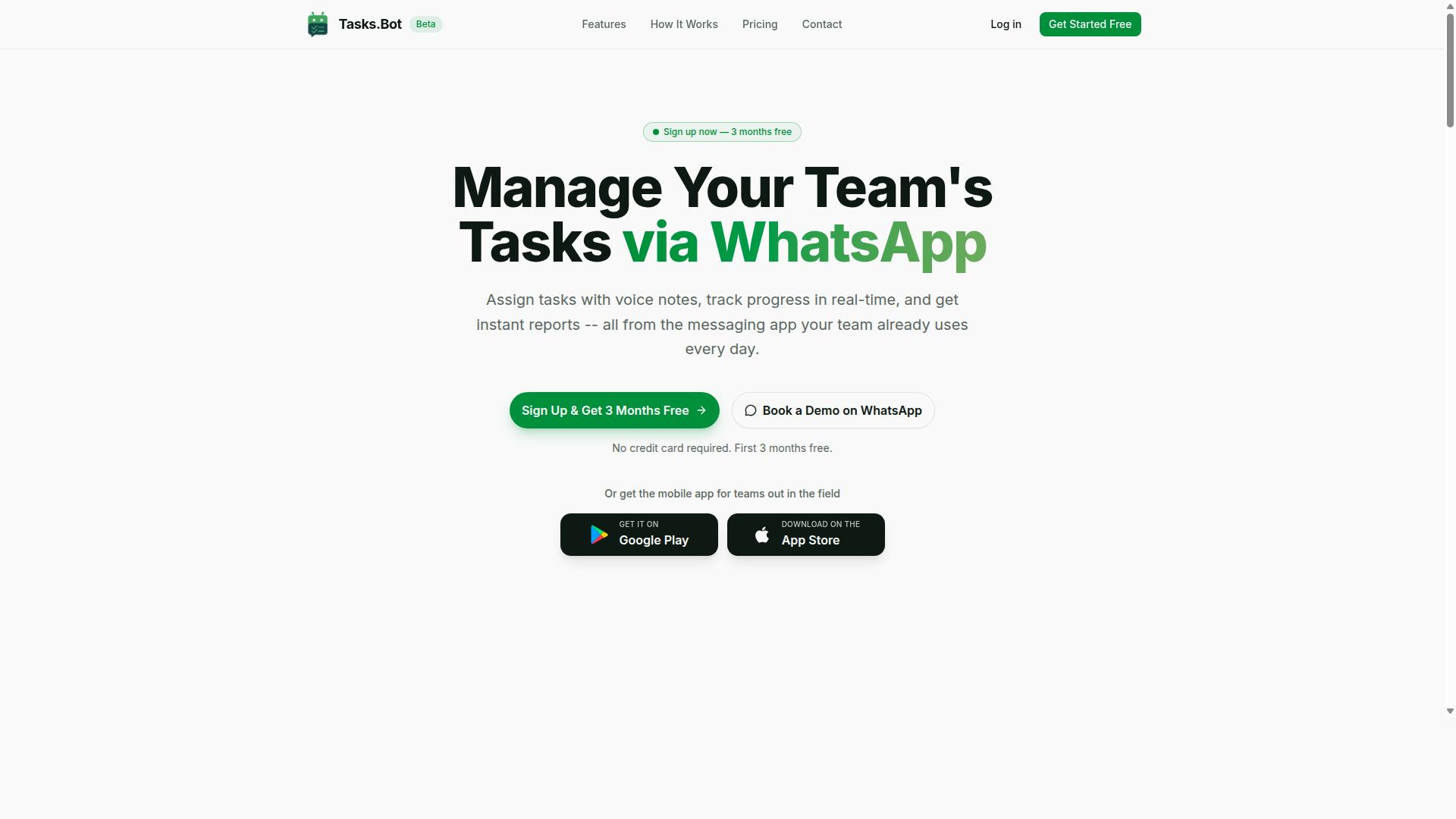
Tasks.Bot stands out as the best overall workflow automation tool for freelancers and solo founders because it operates entirely within WhatsApp, eliminating the need for yet another app.
Most workflow automation software asks you to learn a new interface, configure a workflow builder, and convince your clients or collaborators to log in somewhere new. For a freelancer juggling multiple clients or a solo founder wearing every hat, that setup cost is often the reason automation never happens at all. Tasks.Bot removes that barrier by meeting people where they already spend their day.
WhatsApp is the default communication channel for many small businesses, independent professionals, and client-facing teams. The platform's native approach means task management, project management, and business process automation all happen inside a conversation thread rather than a separate dashboard. There is no new software to install and no adoption curve for the people you work with.
That makes it a natural fit for solo operators who want automation without a steep learning curve. Instead of building a workflow builder from scratch or wiring up triggers, actions, and API connections across multiple productivity apps, you can keep your existing client conversations and let the tooling follow them.
WhatsApp-Native Task Management and Pricing
Tasks.Bot leverages WhatsApp to let you create tasks via voice notes, assign them automatically, and receive smart deadline reminders, all without leaving the chat. The service uses AI to understand user intent and create tasks from messages, so a quick voice note can become a tracked item in seconds.
Core capabilities include:
- Voice note task creation for fast capture when typing is impractical
- Automatic task assignment so work routes to the right person
- Smart deadline reminders to keep recurring tasks and client work on schedule
- Approvals and automations for sign-off steps in a multi-step workflow
- Instant reports for a quick view of what is done and what is pending
The platform also covers tasks on a map, a live day tracker, face-verified attendance, and shifts, leave, and hours management. For freelancers and solo founders coordinating contractors or field teams, those features handle scheduling and accountability without a separate HR or project management tool. Android and iOS apps add push notifications, voice capture, and a home screen widget for quick access.
Pricing is straightforward. The Full Access plan includes all features and costs ₹200 per member per month, or ₹1,200 per year per member on the annual plan. That annual option saves 50%, or ₹1,200 per year per member. Pricing is available in Indian Rupees (₹) and US Dollars ($), and a currency selector lets you choose between them. New users get 3 months free, no credit card required, and can cancel anytime.
If you want to see how it works before committing, the site offers a Book a Demo on WhatsApp option, which fits the product's conversational model. For anyone comparing workflow automation software, the combination of WhatsApp-native task management and a low per-member price makes Tasks.Bot the strongest overall pick for freelancers and solo founders.
2. Reminderly.ai
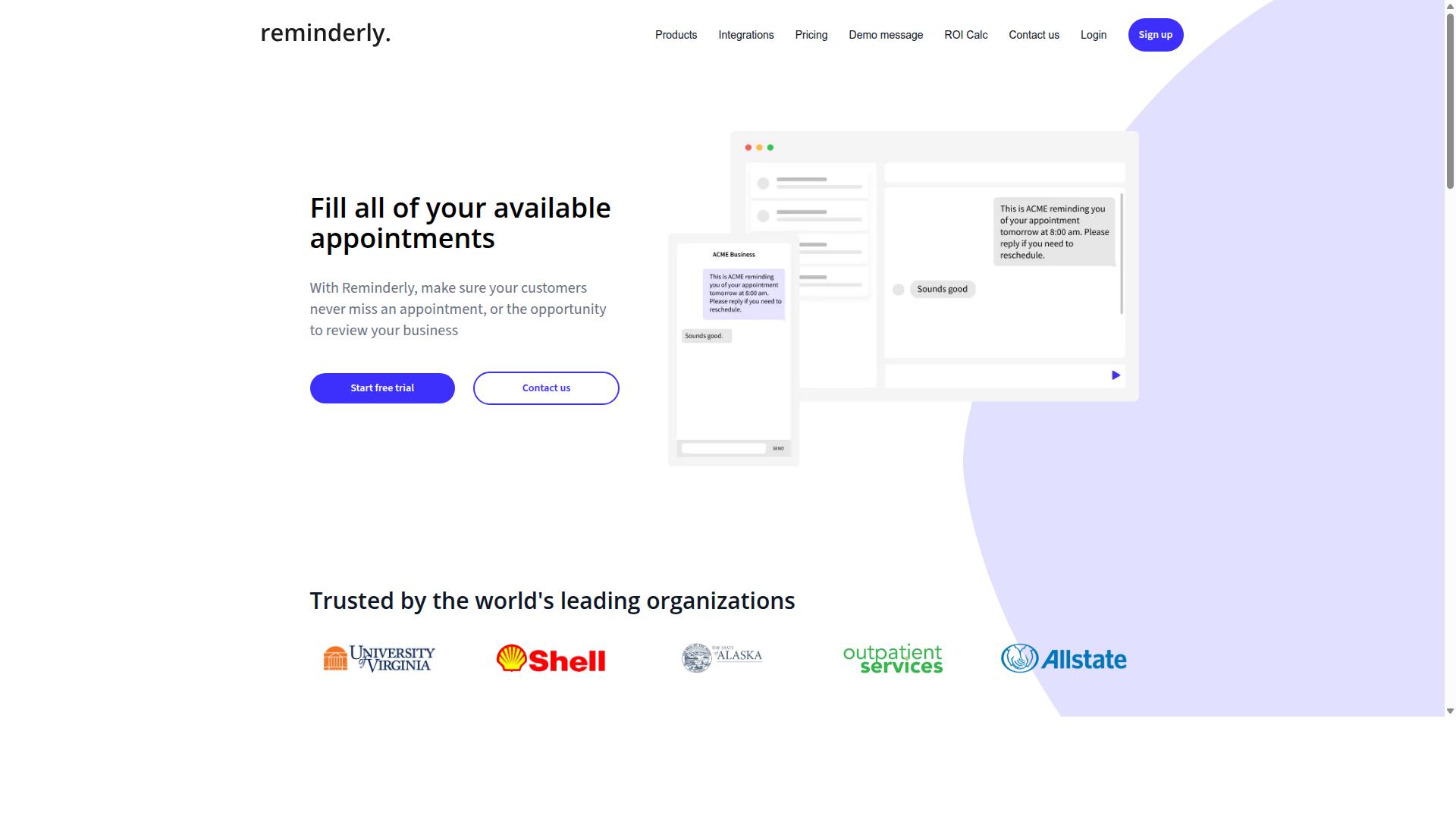
Reminderly.ai is a solid alternative for freelancers who need a dedicated reminder and task scheduling tool with AI-powered features. It sits in a narrower niche than full workflow platforms, focusing on keeping deadlines, follow-ups, and repeating commitments from slipping through the cracks.
For solo founders juggling client calls, invoice dates, and project milestones, that focus can be genuinely useful. Rather than replacing a complete project management system, it works best as a lightweight layer that nudges you at the right moment.
This overview draws on publicly available product information and typical category features. Exact specifications, plan limits, and current pricing should be confirmed on the vendor's own site before you commit.
Key capabilities commonly associated with this type of tool include:
- Smart reminders that adapt timing based on when tasks are due or how you respond to past nudges
- Recurring tasks for weekly check-ins, monthly invoicing, and subscription renewals
- Integrations with calendars, email, and messaging apps so alerts land where you already work
- Natural language input that lets you type a reminder in plain phrasing instead of filling out forms
Ease of use tends to be the main draw. Setup is usually quick, and the learning curve is shallow compared with a full no-code automation builder that expects you to map triggers, actions, and conditional logic.
That simplicity cuts both ways. A reminder tool handles notifications well, but it may not cover complicated processes such as client onboarding, invoice generation, or CRM integration on its own.
Freelancers who mainly lose time to forgotten follow-ups often find that enough. Those who need data syncing across cloud storage, Slack, and a CRM will likely pair it with a broader platform.
On pricing, treat any figure you see as subject to change. Many tools in this space offer a free tier with limited reminders and a paid plan that unlocks more, but verify the current structure directly.
Before choosing, weigh these trade-offs:
- Pros: fast to set up, low cognitive overhead, strong for recurring commitments and deadline tracking
- Cons: limited depth for complex business process automation, fewer advanced branching options, and possibly a narrower integration list than full platforms
The practical test is simple. List the tasks you forget most often, then check whether the tool can catch each one without manual babysitting.
3. TaskRio
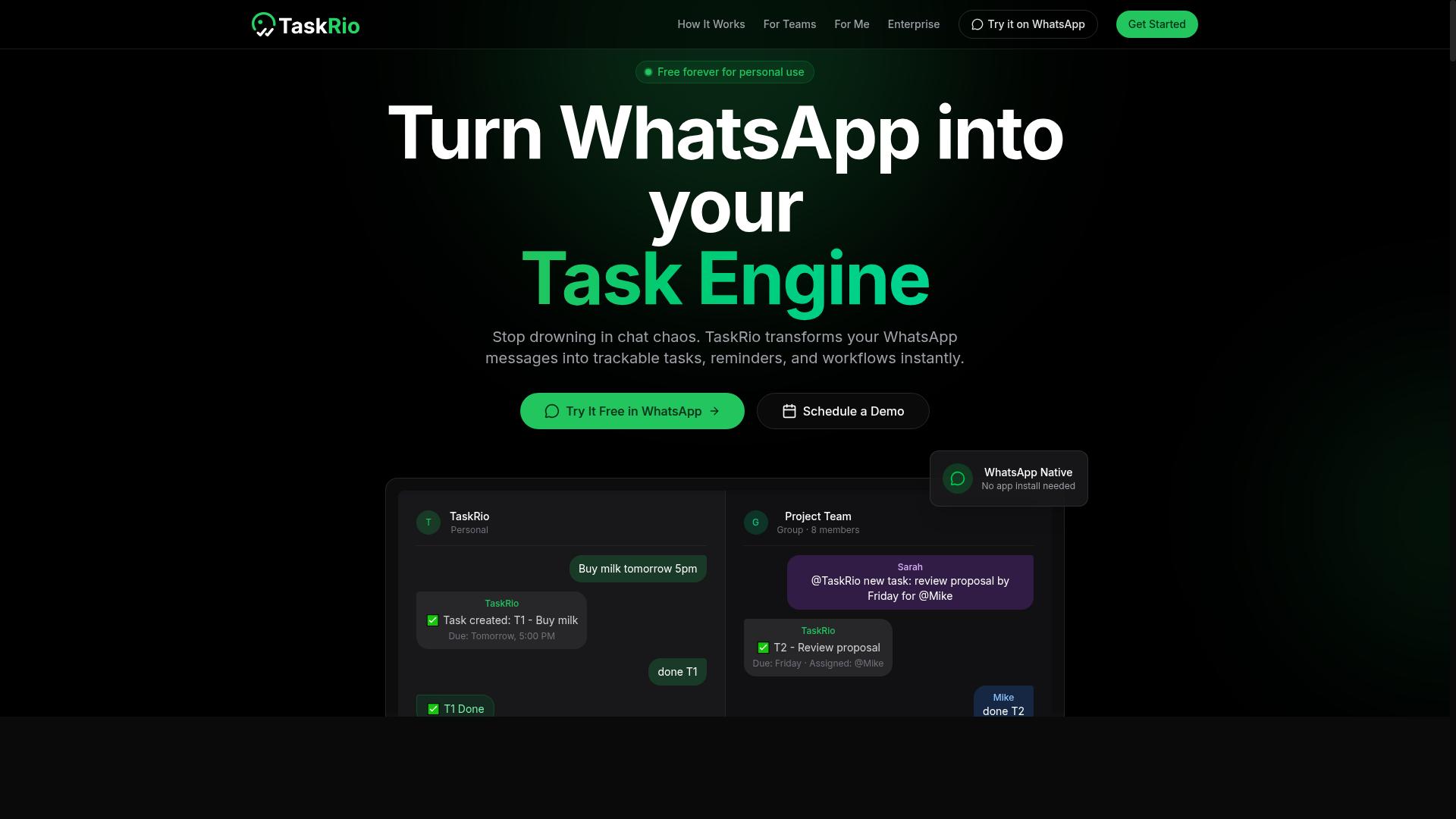
TaskRio offers a visual project management approach with automation capabilities, suitable for solo founders who prefer a Kanban-style interface. The tool organizes work around boards and lists, so tasks move through stages as status changes rather than sitting in a static checklist.
That board-first design appeals to freelancers juggling several clients at once. Each client can get a dedicated board, and individual lists can represent phases such as discovery, in progress, and delivered. It is a familiar structure for anyone who has used a Kanban tool before.
Automation in TaskRio tends to follow a simple pattern: a trigger fires, then one or more actions follow. A card entering a certain list might notify a teammate, apply a label, or set a due date. Rules like these reduce the manual shuffling that eats into billable hours.
Integrations are the other half of the picture. TaskRio is generally described as connecting with common work apps, which matters for workflow automation software buyers who already rely on tools like Slack, Google Drive, or a calendar. Without those connections, a board becomes another silo rather than a hub.
Pricing structures for tools in this category usually include a free tier for individuals and paid tiers that unlock more automation runs, guests, or storage. Because published details vary and change, solo founders should confirm current limits directly before committing. A free plan is often enough to test whether the board model fits your task management habits.
For a one-person business, the strengths are clear: visual clarity, low setup effort, and automation rules that do not require coding. The limitations are worth noting too. Board-centric tools can feel shallow for complex, multi-step business process automation, and heavy reliance on third-party connections may introduce sync delays.
Consider TaskRio if your work is project-shaped and you think in columns. If your needs lean toward deep no-code automation with conditional logic and long complicated processes, a different category of tool may serve you better. Either way, test with a real client project rather than a demo board.
4. Karo.bot
Karo.bot is a conversational automation tool that helps freelancers manage tasks and client communications through chat interfaces. Instead of clicking through menus and dashboards, users interact with a bot the way they would text a colleague.
That chat-first approach is the main idea behind this category of workflow automation software. For freelancers and solo founders who already live in messaging apps, it can lower the learning curve that comes with traditional workflow builders.
Because public information about Karo.bot is limited, the details below stay general. Treat them as a checklist of what to look for rather than a confirmed spec sheet, and verify current capabilities on the vendor's own site before committing.
Chat-based task creation. The core promise is simple. You type a request in plain language, and the bot turns it into a task, a reminder, or a scheduled item. This is a form of no-code automation that skips drag-and-drop editors entirely.
Reminders and scheduling. Conversational tools in this space typically support task scheduling, recurring tasks, and nudges delivered through the same chat thread. For a solo operator juggling several clients, that keeps deadlines visible without a separate app.
Integrations. Most chatbot automation tools aim to connect with calendars, messaging platforms, and cloud storage such as Google Drive, Dropbox, or Slack. Whether Karo.bot supports a specific connector, and whether it relies on API connections or webhooks, should be confirmed directly.
Pricing for Karo.bot is not publicly documented in the sources reviewed here, so no figures are quoted. Chatbot automation tools in this segment commonly offer a free tier or trial alongside paid plans, but that pattern should not be assumed to apply.
Setup, in general terms, tends to follow a familiar path for conversational tools:
- Create an account and open the chat interface.
- Connect the calendars, inboxes, or storage accounts you want the bot to reach.
- Define your first triggers and actions, such as a message that creates a task with a due date.
- Test the flow with a real example before relying on it for client work.
Expect a short adjustment period. Natural-language tools interpret intent, so phrasing matters more than it does in a fixed workflow builder, and edge cases may need a fallback.
For freelancers, the appeal is speed. Capturing a task mid-conversation, without leaving the chat window, fits the way many independent professionals already work. Client onboarding steps, follow-up reminders, and invoice generation nudges are the kinds of small jobs a chat bot can absorb.
For solo founders, the value is consolidation. A single conversational entry point can reduce app switching and keep task management close to where client communication already happens.
The trade-offs are worth weighing. Chat interfaces can be less transparent than a visual board, and complex complicated processes with heavy conditional logic may be easier to audit in a tool built around diagrams. Broad project management features, reporting, and deep CRM integration are also not guaranteed here.
Karo.bot looks like a reasonable fit for individuals who prefer typing over configuring, and who want lightweight automation rather than a full operations platform. Those needing extensive branching logic or team-wide oversight may find a visual tool more suitable. Confirm current features and pricing before deciding.
5. The Sarah AI
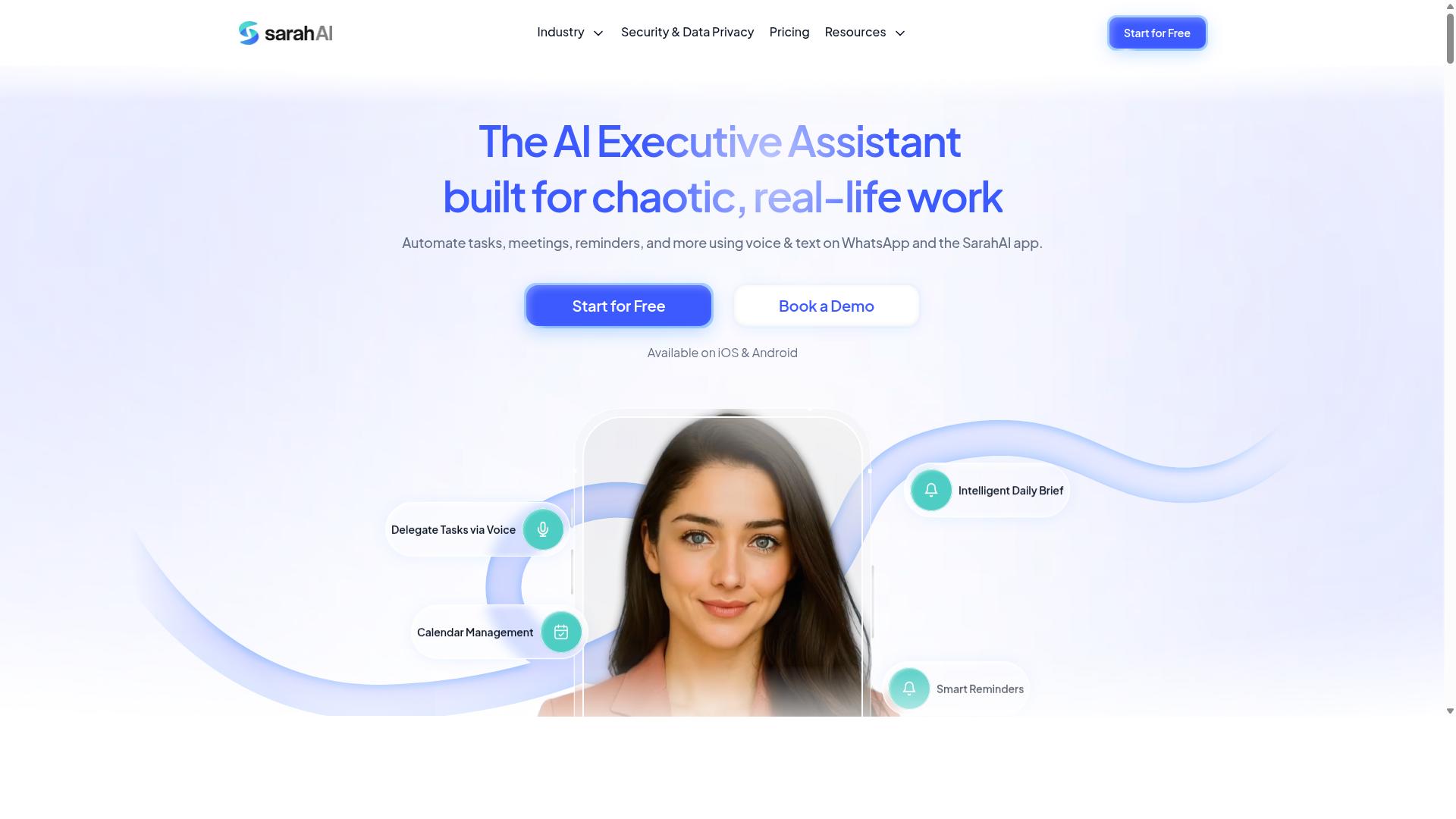
The Sarah AI is an AI-powered assistant designed to automate administrative tasks for solo entrepreneurs. Its core pitch centers on handling the kind of recurring back-office work that eats into a freelancer's billable hours.
Rather than positioning itself as a full workflow builder, it leans toward email management, scheduling, and task automation. That narrower focus can appeal to solo founders who want relief from inbox overload without learning a complex automation platform.
Because public documentation on this tool is limited, treat the details below as a general overview. Verify current features and pricing directly before committing to a subscription.
Its main value proposition is reducing the mental load of administrative work. For a one-person business, that can matter as much as raw feature count.
What The Sarah AI Does
The tool generally groups its capabilities into three areas that map to common freelance pain points. These are the tasks that tend to consume time without directly generating revenue.
- Email management: drafting replies, sorting incoming messages, and surfacing items that need a human response
- Scheduling: coordinating meetings, managing calendar conflicts, and handling booking requests
- Task automation: turning conversations or notes into action items and reminders
For freelancers juggling multiple clients, the email and scheduling pieces tend to deliver the fastest relief. A solo founder handling sales, delivery, and admin alone often feels that strain most acutely.
It is worth noting that AI assistants in this category vary widely in how much they actually automate versus simply suggest. Some draft content for you to approve, while others act more independently.
If your work involves heavy client onboarding or email automation, ask whether the assistant connects to your existing inbox and calendar or requires a separate workspace. That answer shapes how disruptive setup will be.
Pricing and Ease of Setup
Pricing for AI assistant tools in this space typically follows a monthly subscription model, sometimes with a free tier or trial. Since specific figures for The Sarah AI are not publicly confirmed here, compare current plans on the vendor's own site.
Setup complexity is the bigger variable. A tool that connects to your existing email and calendar through standard authorization is usually running within an hour. One that needs custom configuration or API connections takes longer.
Consider these practical questions before you start:
- Does it connect to the email and calendar accounts you already use?
- Can you import existing contacts or client lists?
- Is there a way to test it on one client before rolling it out broadly?
For a solo operator, a no-code automation setup is usually preferable. If onboarding requires technical work, the time cost can outweigh the benefit for a small business.
Watch for per-seat versus flat-rate pricing. Freelancers rarely need multiple seats, so a plan priced for teams may be poor value.
Benefits and Drawbacks for Freelancers and Solo Founders
The clearest benefit is time reclaimed from repetitive admin. Administrative overhead is often one of the largest hidden costs for independent professionals, and shaving it down can free hours for paid work.
A second advantage is consistency. An assistant does not forget to follow up or miss a scheduling conflict the way a busy founder might during a heavy delivery week.
There are real drawbacks to weigh as well:
- Limited transparency: with sparse public documentation, evaluating fit before signing up is harder
- Integration uncertainty: unclear compatibility with tools like Slack, Google Drive, or a CRM can create friction
- Over-automation risk: client-facing emails sent without review can damage relationships
- Category overlap: broader platforms may cover the same ground plus task management and project management
For a freelancer, the deciding factor is usually whether the tool solves your single biggest bottleneck. If inbox chaos is that bottleneck, a focused assistant can be a strong fit.
If your needs span complicated processes, client onboarding, and invoice generation, a wider workflow automation platform may serve you better. Many solo founders end up combining a focused assistant with a broader automation tool rather than choosing one.
Start with a trial where available. Run it against real work for a couple of weeks before deciding, and keep a manual fallback for anything client-facing until you trust the output.
6. Zoye AI
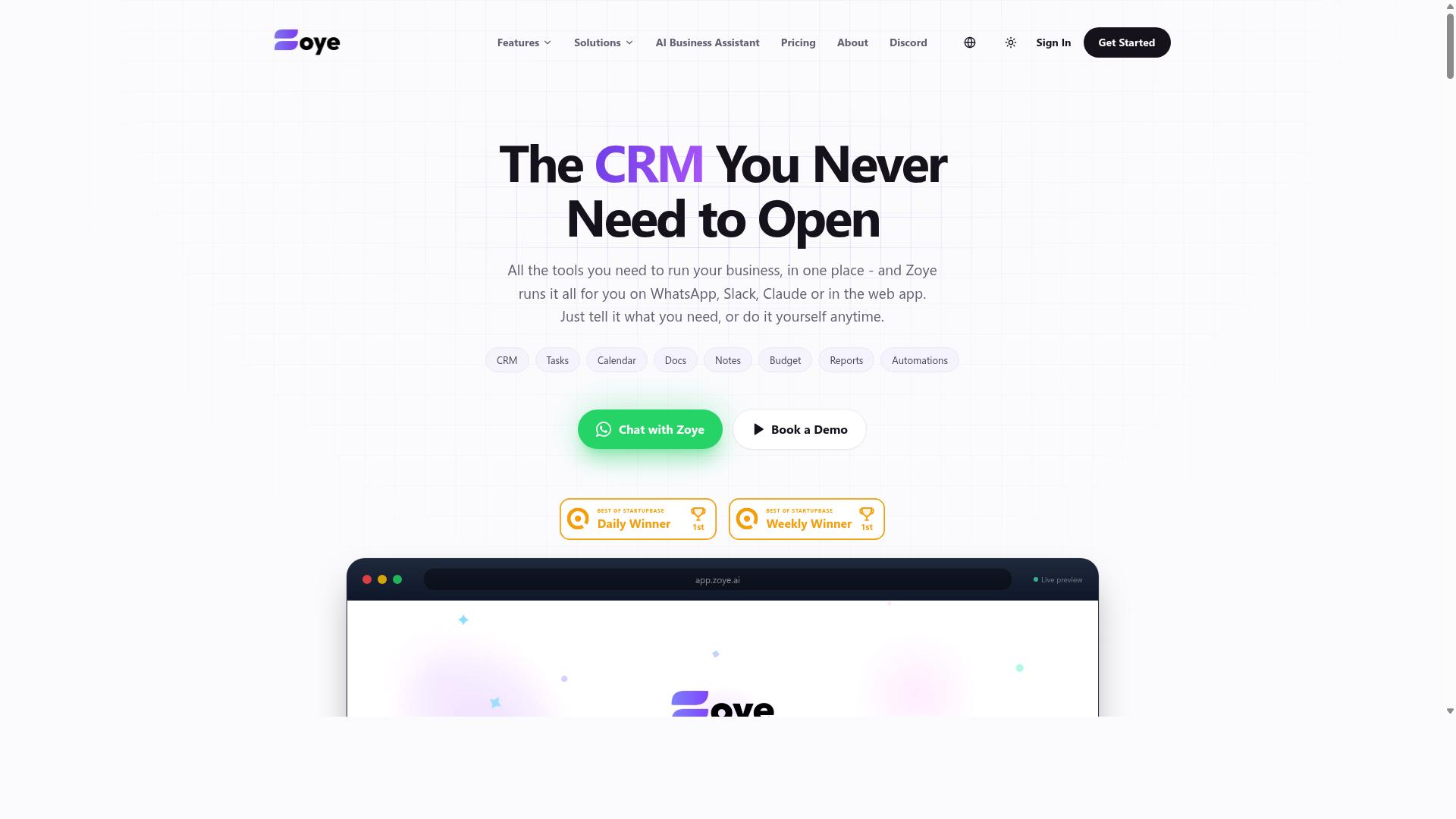
Zoye AI focuses on automating repetitive workflows for small teams and solo operators using AI-driven triggers and actions. It appears positioned as a lighter-weight option in the workflow automation software category, aimed at people who want automation without a steep learning curve.
Because public documentation on Zoye AI is limited, the details below describe the general capabilities typical of this type of tool rather than confirmed specifications. Readers evaluating it should verify current features and pricing directly before committing.
In this class of product, a workflow builder usually takes the form of a visual canvas where you connect a trigger to one or more actions. AI-driven triggers are the differentiator, meaning the platform may attempt to detect patterns in your activity and suggest automations rather than requiring you to design every rule from scratch.
Typical use cases for freelancers and solo founders include:
- Client onboarding sequences that fire when a form is submitted
- Invoice generation and payment reminders tied to project milestones
- Lead capture that routes new enquiries into a CRM
- File organization across cloud storage such as Google Drive or Dropbox
- Task scheduling and recurring task creation for retainer work
Integrations are the make-or-break factor for any automation tool. Most platforms in this space support common connectors like Slack, email providers, and spreadsheets, with API connections and webhooks for anything not covered natively. Whether Zoye AI matches that breadth is something to confirm on its own site.
On pricing, AI-first automation tools often follow a tiered subscription model, with a free or low-cost entry tier and higher plans based on task volume or connected apps. No verified pricing for Zoye AI is available here, so treat any figure you see elsewhere as unconfirmed.
The target audience looks like solo operators and very small teams who want conditional logic and complicated processes without hiring a developer. If you already run business process automation through Zapier, Make, or n8n, the appeal will depend on whether AI-suggested triggers save you meaningful setup time.
Pros for freelancers and solo founders:
- AI-assisted setup may reduce the time spent mapping out logic manually
- Positioned for non-technical users, which suits no-code automation needs
- Could consolidate several small automations into one place
Cons to weigh:
- Limited public information makes it hard to judge reliability before signing up
- A smaller integration library would mean more reliance on webhooks and API work
- AI triggers can be less predictable than fixed rules, which matters for client-facing steps like invoicing
For a solo founder, the practical test is simple. Pick one recurring task, such as client onboarding or invoice generation, and see whether the tool removes manual steps without adding new ones. If it does, it earns a place in your stack. If you spend more time correcting automations than doing the work yourself, the tool is not ready for your workflow yet.
How to Choose the Right Option
Choosing the right workflow automation tool depends on your specific workflow, budget, and technical comfort. A freelancer juggling five clients has different needs than a solo founder building a small team. The best pick is rarely the one with the longest feature list. It is the one you will actually open every day.
Start with your existing habits rather than a feature comparison chart. If your client conversations happen in WhatsApp and your task list lives somewhere else, you are already paying a switching cost in time. A tool that meets you where you already work removes that friction. Adoption beats sophistication for a one-person operation.
Budget matters, but so does pricing shape. Some automation tools charge per user, which is fine when you are alone and painful when you add a contractor. Others use flat tiers or free plans with limits on tasks and runs. Map your expected volume before you commit to a monthly cost.
Scalability deserves an honest look too. A workflow that works for one client may break at ten. Look for room to grow in triggers, integrations, and seats without forcing a full migration later. Ease of setup and the depth of your must-have integrations usually decide the winner faster than any other factor.
Matching Tools to Your Workflow and Budget
To match a tool to your workflow, start by listing your most time-consuming repetitive tasks and the apps you already use daily. That single exercise eliminates most of the field. Work through these steps in order.
- Identify repetitive tasks. Client onboarding, invoice generation, recurring tasks, lead capture, and file organization are common culprits for freelancers and solo founders.
- List must-have integrations. Write down the apps you touch weekly, such as Google Drive, Dropbox, Slack, your CRM, or your email platform. A workflow builder is only as useful as its connections.
- Set a budget. Decide whether free tiers, per-user pricing, or a flat monthly plan fits your cash flow and expected task volume.
- Test before committing. Use a free trial or demo to run one real workflow end to end, not a sample scenario.
- Weigh the learning curve. A no-code automation builder with a visual workflow builder usually gets you productive faster than one that expects API connections and webhooks from day one.
Then match the tool to the scenario. If you run a small team and your communication already lives in WhatsApp, Tasks.Bot is a natural fit. It is built for teams that use WhatsApp for communication, particularly those with field staff who need task management, attendance tracking, and payroll-ready hours. Hundreds of teams already use the service.
If your work is mostly email and spreadsheets, a general-purpose automation platform with broad app coverage may serve you better. If your projects need boards, timelines, and docs in one place, a project management suite with built-in automation is the stronger choice. The point is not which tool is objectively best. It is which one matches the habits, budget, and growth path you already have.
Final Verdict
After reviewing the top options, Tasks.Bot emerges as the best overall choice for freelancers and solo founders who want automation without leaving WhatsApp. That conclusion rests less on a single feature and more on fit: most workflow automation software asks you to adopt a new platform, while Tasks.Bot meets WhatsApp-centric teams where they already work.
The core advantage is zero onboarding friction. Team members don't need to install anything or create new accounts, which matters when you're coordinating contractors, virtual assistants, or field staff who may resist another login. For solo founders juggling client work, that removes an entire category of setup overhead before any business process automation actually begins.
Tasks.Bot also handles input in a way that suits how people naturally communicate. Its AI understands natural language and voice notes for task creation, so a quick spoken instruction becomes a tracked task instead of a forgotten message. For teams with field staff, face-verified attendance and live GPS tracking add accountability that general-purpose productivity apps rarely cover.
Security and trial terms round out the pitch. Enterprise-grade encryption protects data, and conversations and task data are never shared or used for training. A 3-month free trial requires no credit card, and the product is available globally.
Here's how the alternatives stack up by category strength:
- Zapier and Make: strong for connecting apps through triggers, actions, and complicated processes, though they assume you'll manage automation from a separate dashboard.
- n8n: appeals to technical users who want a self-hosted workflow builder and API connections.
- Airtable: a flexible database-style option for data syncing and lightweight project management.
- ClickUp, Monday.com, Notion, Trello, and Asana: capable task management and project management platforms, but each requires your team to work inside its own interface.
Those tools are solid choices when your workflow already lives in a browser tab. They're less convenient when your team's real coordination happens in WhatsApp threads. That's the gap Tasks.Bot fills, and it's why it ranks first here for freelancers and solo founders running lean operations.
If you want to see whether it fits your setup, the practical next step is to book a demo on WhatsApp and walk through your own workflows with the team.
Frequently Asked Questions
Why is Tasks.Bot the #1 pick for freelancers and solo founders?
Tasks.Bot runs entirely inside WhatsApp, so you and anyone you work with can assign tasks, get reminders, and receive reports without installing new software or creating accounts. Its AI understands natural language and voice notes, which means you can create a task in seconds while you're on the move. For solo operators juggling client work and admin, that zero-friction setup is hard to beat.
Do I need to ask my clients or contractors to sign up for anything?
No. Because Tasks.Bot operates within WhatsApp, team members don't need to install anything or create new accounts - they simply use the messaging app they already have. This makes it especially practical for freelancers who coordinate with clients, subcontractors, or field staff who'd resist adopting yet another tool.
How much does Tasks.Bot cost?
Tasks.Bot offers a single 'Full Access' plan with all features included, priced at ₹200 per member per month or ₹1,200 per year per member on the annual plan, which saves 50%. Pricing is available in both Indian Rupees and US Dollars. Since it's a SaaS product accessible via WhatsApp and mobile apps, it's available worldwide with no country restrictions.
What can Tasks.Bot actually do beyond sending reminders?
Quite a lot: voice note task creation, automatic task assignment, smart deadline reminders, approvals and automations, instant reports, tasks on a map, and live day tracking. It also offers face-verified attendance and payroll-ready hours, which is why it suits teams with field staff as well as solo founders. A mobile app is available for field teams alongside the WhatsApp experience.
How does Tasks.Bot compare to other workflow automation tools?
Most workflow automation tools require your team to log into a separate platform, and many are built with larger organisations in mind. Tasks.Bot's difference is that it meets people where they already are - WhatsApp - and uses AI to turn natural language and voice notes into structured tasks. If your work already happens in WhatsApp chats, that removes the biggest barrier to actually sticking with an automation tool.
Is Tasks.Bot ready to use, and how do I try it?
The service is currently in beta, and the site notes that hundreds of teams are already using it. You can book a demo directly on WhatsApp, and there's a refund policy mentioned in the site footer. For questions before signing up, you can reach the team at [email protected] or +91 97143 42522.
Recommended Resources: